

Beschreibung
Overview
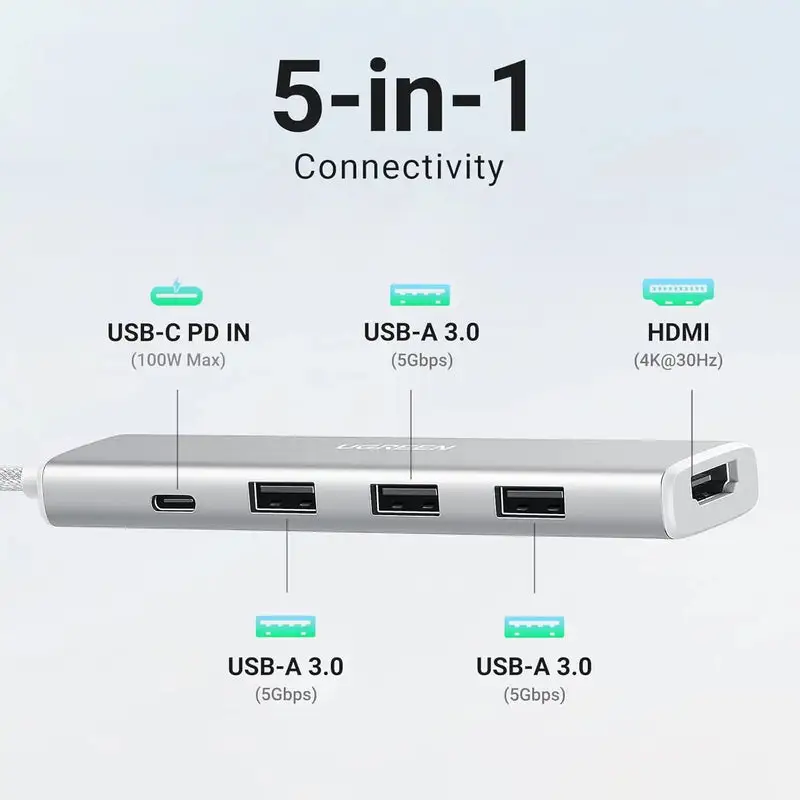
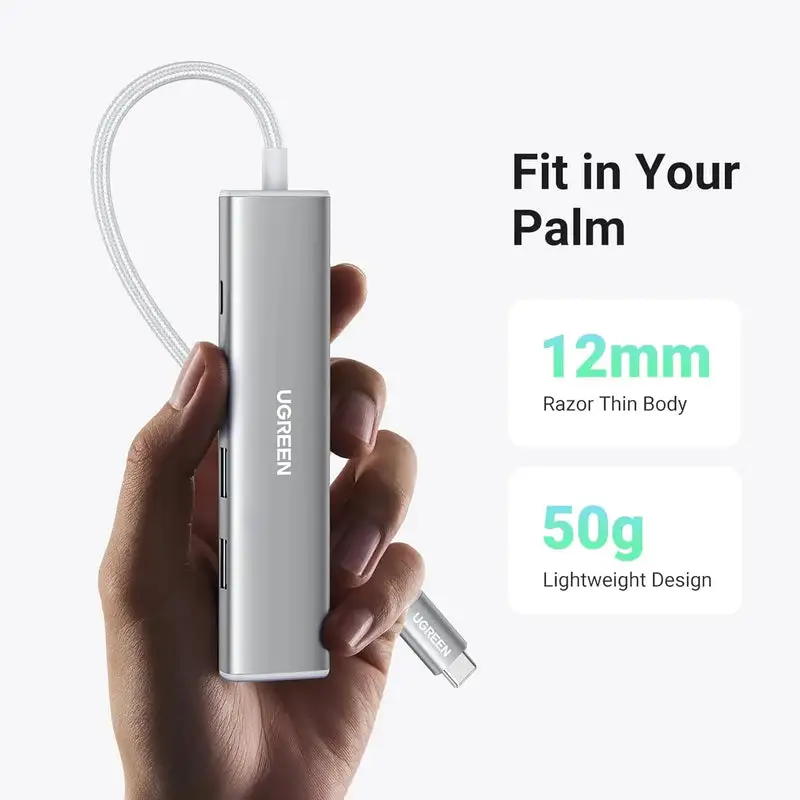
UGREEN 35580 is a slim, 50g travel hub for one hdmi display, three usb-a devices and usb-c pd input.
What it does well.
Key features
At a glance
4K30 HDMI. One HDMI display is supported up to 4K30 when the complete chain qualifies.
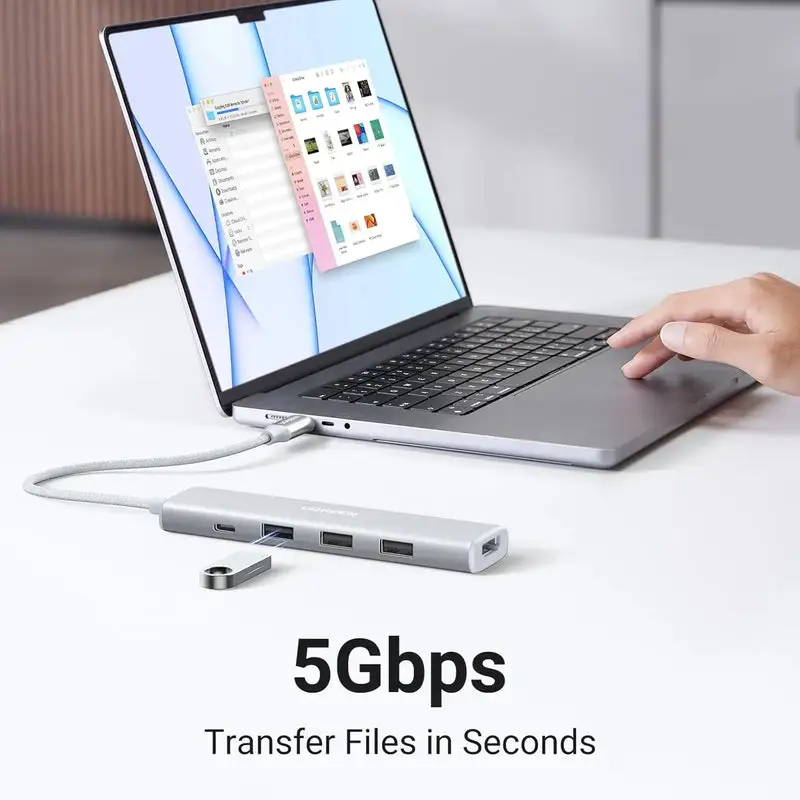
3 × USB-A 5Gbps. Three USB-A ports are each labelled up to 5Gbps, but all share one upstream USB connection.
100W PD input. The PD port is input-only and cannot be used as a general USB-C data port.
50g. Travel presentation adapter
Every connection explained
Port-by-port clarity
HDMI. One external display up to 4K30.
3 × USB-A 3.0. Up to 5Gbps data for storage and peripherals.
USB-C PD input.
Integrated USB-C host lead. Connects to the laptop, tablet or phone; video requires DP Alt Mode.
Resolution, topology and host limits
Display planning
One HDMI display is supported up to 4K30 when the complete chain qualifies.
The host USB-C port must support video/DisplayPort Alt Mode; a USB-C connector alone does not guarantee HDMI.
The hub supports mirror or one extended external desktop according to the host OS. It is not a multi-monitor dock.
Use a suitable HDMI cable and choose a resolution/refresh supported by the display.
USB, card and network performance
Shared resources
Three USB-A ports are each labelled up to 5Gbps, but all share one upstream USB connection.
Keyboard, mouse and receivers use little bandwidth; SSDs and hard drives compete for the shared link.
Some bus-powered drives may need the PD charger connected for a stable power budget.
Use scenarios
Real-world applications
Travel presentation adapter. A practical fit when the ports, display topology, bandwidth and power limits above match the host and peripherals.
Laptop desk with one monitor and USB-A accessories. A practical fit when the ports, display topology, bandwidth and power limits above match the host and peripherals.
Photo/video file copy from USB-A storage. A practical fit when the ports, display topology, bandwidth and power limits above match the host and peripherals.
Phone or tablet desktop mode where supported. A practical fit when the ports, display topology, bandwidth and power limits above match the host and peripherals.
Setup and usability guidance
Practical connection order
- Confirm this SKU on the product or invoice.
- Check the host port for required video, data and charging roles.
- Place the hub/dock on a stable, open surface; place stand models before loading a device.
- Connect required external power before the host when the model requires or benefits from it.
- Connect the host using the marked upstream lead or port.
- Attach one display first and confirm a stable picture before adding others.
- Add Ethernet, storage, cards and low-speed peripherals one group at a time.
- Configure display arrangement, resolution and refresh in the operating system.
- Eject storage/cards before unplugging; disconnect high-power accessories before packing.
Compatible devices and systems
Host and peripheral fit
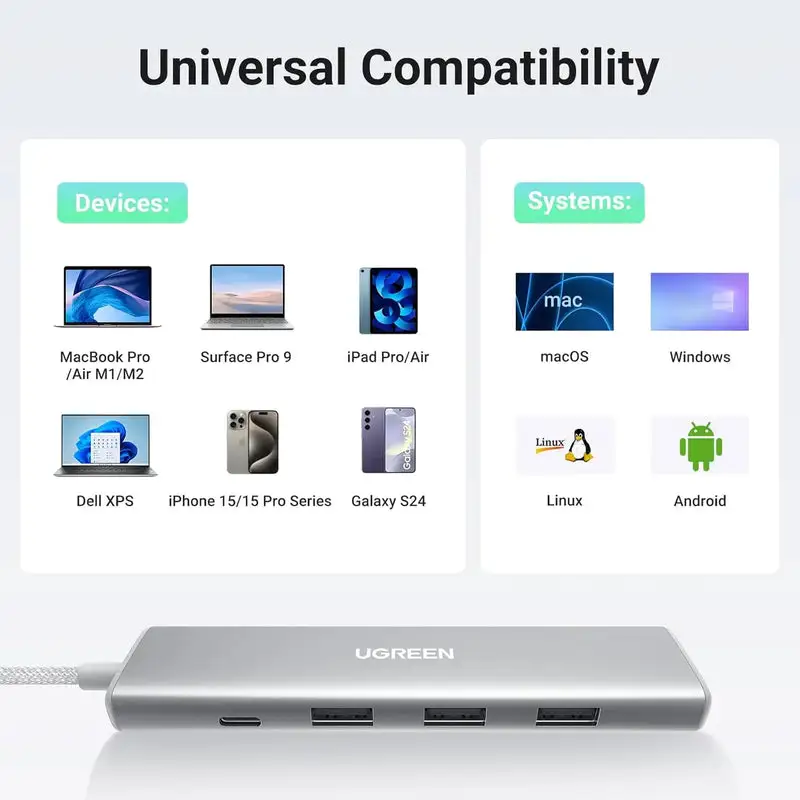
MacBook, Windows and Chromebook systems with suitable USB-C. Compatibility means only the functions exposed by the specific host port and operating system; connector shape is not enough.
iPad and Android tablets with compatible USB-C roles. Compatibility means only the functions exposed by the specific host port and operating system; connector shape is not enough.
iPhone 15/16 USB-C models for supported accessories/display modes. Compatibility means only the functions exposed by the specific host port and operating system; connector shape is not enough.
Thunderbolt and USB4 ports through their USB-C backward compatibility. Compatibility means only the functions exposed by the specific host port and operating system; connector shape is not enough.
What this product does
Function scope
- Adds one HDMI output
- Adds three 5Gbps USB-A ports
- Accepts USB-C PD input while the hub is in use
- Fits a compact travel workflow
What this product does not do
Boundaries
- It does not have Ethernet, card slots or audio.
- It has no USB-C data output port.
- It cannot run two external displays.
- It cannot add video to a data-only USB-C host.
What to do
Recommended practice
- Match the SKU before ordering.
- Use qualified display, Ethernet and USB-C cables.
- Connect external power when specified or when bus-powered storage is unstable.
- Keep firmware, OS and relevant drivers current.
- Test the simplest connection first, then add devices.
What not to do
Avoid common mistakes
- Do not assume every USB-C port carries video, data and power.
- Do not add individual port maxima to claim an aggregate throughput.
- Do not cover the hub or place it on heat-trapping fabric.
- Do not remove storage/cards during writes.
- Do not force connectors, stand hinges or devices that do not fit.
Warnings and limitations
Read before use
Warning / limitation 1. Charger, HDMI cable and USB peripherals are not included unless a bundle explicitly says otherwise.
Warning / limitation 2. Do not connect the PD socket to storage or a display; it is for charger input.
Warning / limitation 3. Allow airflow around the aluminium body during charging and display use.
Warning / limitation 4. Confirm phone/tablet desktop-mode and external-display support before purchase.
At a glance.
- Model
- Revodok 105 / SKU 35580
- Ports
- HDMI, 3 × USB-A, USB-C PD input
- HDMI
- Up to 4K30
- USB
- Up to 5Gbps, shared upstream
- PD
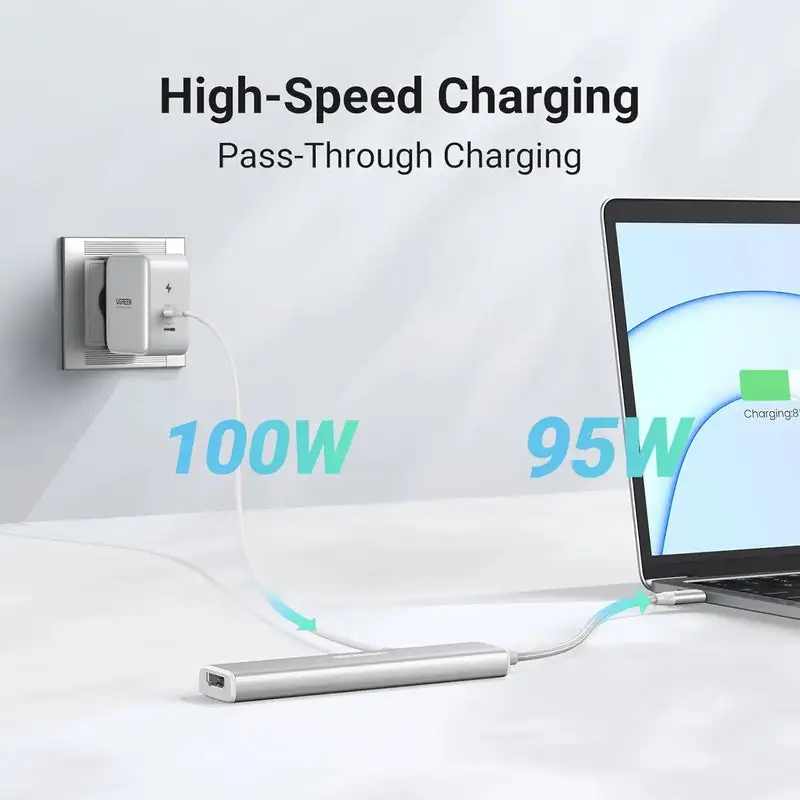
- Up to 100W input; up to 95W host output
- Host
- Integrated USB-C lead
- Body
- Aluminium, approximately 12mm thick
- Listed weight
- Approximately 50g
- Bandwidth rule
- All downstream functions share the upstream host connection
- Maximums
- Require compatible host, cables, peripherals, displays and software
Model-specific data
Power path
The PD port is input-only and cannot be used as a general USB-C data port.
For phones/tablets, connect a suitable PD charger when several accessories or HDMI are active.
Questions buyers ask.
What model is this?
This guide is for UGREEN 35580 only. Similar UGREEN hubs and docks can use different video, data and charging controllers.
What must my USB-C host support?
Use a host that supports the connection and operating-system capabilities stated in this model guide.
Can every port reach its maximum at the same time?
No. Displays, USB storage, cards and Ethernet share the upstream host link and available power. Individual port labels are ceilings, not simultaneous aggregate guarantees.
Will it charge my laptop or handheld?
Is the wall charger included?
No wall charger is listed in the base package unless your retailer explicitly sells a charger bundle.
Does it support an external display?
One HDMI display is supported up to 4K30 when the complete chain qualifies. The host USB-C port must support video/DisplayPort Alt Mode; a USB-C connector alone does not guarantee HDMI.
Can I use it with a Mac?
MacBook, Windows and Chromebook systems with suitable USB-C
Is driver installation required?
The native USB/DP Alt Mode functions are designed to be plug-and-play. Keep the operating system, GPU, USB/Thunderbolt and network drivers current. No DisplayLink claim is made unless explicitly stated.
Is it normal for the hub to become warm?
Some warmth is normal when converting video, network, data and power in a compact enclosure. Keep it uncovered and disconnect it if heat becomes abnormal or operation unstable.
What should I check if a display is blank?
Confirm DP Alt Mode, reconnect power where required, use a qualified display cable, select the correct monitor input, lower resolution/refresh, and update host graphics/USB drivers.
Can I disconnect it while copying files?
Stop transfers and safely eject storage or cards first. Removing the hub during a write can corrupt open files or the filesystem.