



Beschreibung
Overview
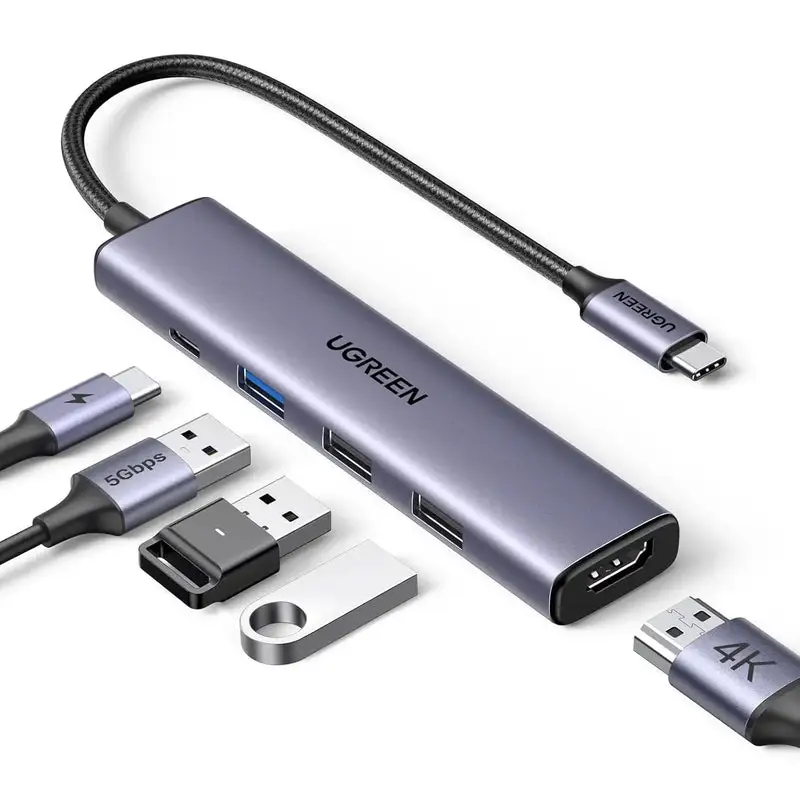
Connect the attached USB-C lead to a computer, tablet or phone whose port supports USB data or OTG. The four downstream USB-A ports accept compatible storage, input devices, printers and other standard USB peripherals.
What it does well.
Key features
At a glance
Connections and signal roles
Port-by-port clarity
USB-C host lead. Connects to a data-capable USB-C or compatible Thunderbolt host.
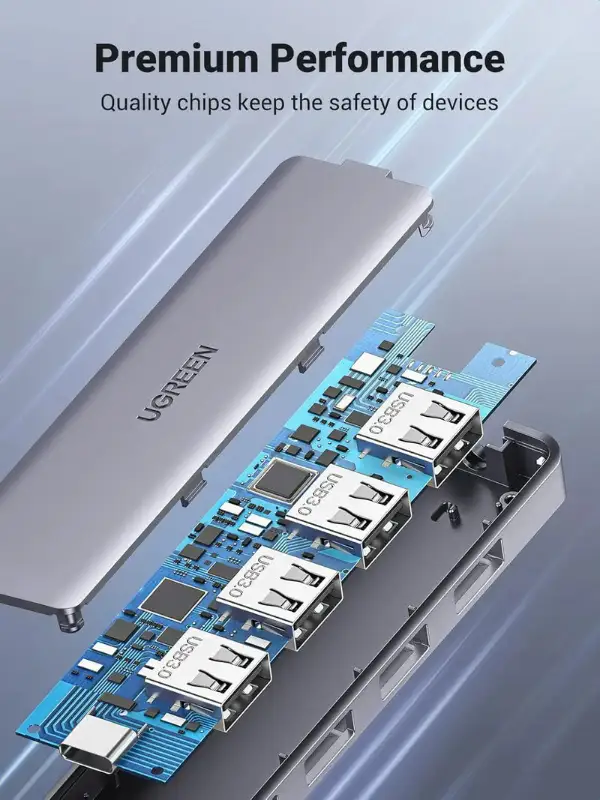
Four USB-A 3.0 ports. Connect compatible USB data peripherals at up to 5Gbps theoretical.
Micro-USB power input. Adds hub-side power for peripherals; it does not charge the host.
Shared data path. All four ports share one upstream USB-C connection.
Reconnect familiar USB-A accessories
FOUR-PORT EXPANSION
Use the four USB-A ports for storage, keyboards, mice, receivers, printers and other compatible devices through one USB-C host port.
USB 3.0 is backward-compatible, but actual performance follows the slowest device and the shared upstream link.
- Four USB-A data sockets
- Up to 5Gbps theoretical
- Hot-swap support on compatible systems
- No video output
Support demanding peripheral combinations when needed
AUXILIARY POWER
A suitable micro-USB power source can supplement the power available to connected USB devices, which can help with multiple drives or other bus-powered accessories.
This input is only for the hub side. It cannot charge the laptop, tablet or phone and is not a Power Delivery port.
- Optional micro-USB input
- Peripheral-side support power
- No host charging
- Power adapter not confirmed included
Use scenarios
Real-world applications
Choose this exact model when its verified connections and limits match the workflow below.
Laptop expansion. Add four USB-A ports to a slim USB-C laptop.
Keyboard and mouse desk. Connect input devices, a receiver and a printer without repeated swapping.
Storage transfer. Attach compatible flash drives or portable storage within shared power and bandwidth limits.
Mobile OTG. Use selected USB accessories with a phone or tablet that supports USB host/OTG mode.
Setup and usability guidance
Practical connection order
A deliberate connection order makes capability checks and troubleshooting easier.
- Connect the attached USB-C lead to a data-capable host.
- Add a keyboard or mouse first to confirm basic operation.
- Connect storage devices one at a time.
- If devices disconnect under load, add suitable micro-USB auxiliary power.
- Wait for the operating system to mount storage.
- Safely eject drives before unplugging them.
- Disconnect and inspect any damaged or unusually hot cable.
Compatible devices and systems
Host and peripheral fit
Connector shape alone is not enough: the host port, operating system, cable, display and peripheral must support the required function.
USB-C computers. Works when the selected USB-C port provides standard USB data.
Thunderbolt and USB4 hosts. Supports backward-compatible USB data within the hub’s 5Gbps ceiling.
Phones and tablets. Require USB host/OTG support and operating-system support for each peripheral.
USB-A peripherals. USB 3.0, USB 2.0 and USB 1.1 devices operate at their negotiated rates.
What this product does
Verified function scope
- Adds four USB-A data ports to one USB-C host.
- Supports USB 3.0 data rates up to 5Gbps theoretical.
- Works with backward-compatible USB 2.0 and USB 1.1 devices.
- Accepts optional micro-USB auxiliary power for peripherals.
What this product does not do
Boundaries that prevent a mismatch
- It does not charge the host device.
- It does not provide USB Power Delivery.
- It does not output video.
- It does not include Ethernet or a card reader.
- It does not give each port a separate 5Gbps link.
What to do
Recommended practice
- Use auxiliary power for demanding multi-device combinations.
- Keep the hub uncovered during sustained transfers.
- Use healthy, rated USB cables and devices.
- Back up important files before large transfers.
- Test one peripheral at a time when troubleshooting.
What not to do
Avoid common mistakes
- Do not connect a display expecting video.
- Do not use micro-USB power as host charging.
- Do not unplug storage during a write.
- Do not force connectors or bend the host lead sharply.
- Do not overload the host’s available USB power.
Warnings and limitations
Read before use
Check before connecting or ordering.
Warning / limitation 1. Removing a drive during a write can corrupt data.
Warning / limitation 2. Actual speed is limited by shared bandwidth and the slowest device.
Warning / limitation 3. A phone or tablet must support USB host/OTG mode.
Warning / limitation 4. High-power devices may need auxiliary power and may still exceed the hub’s available budget.
Warning / limitation 5. Disconnect the hub if a cable, connector or enclosure becomes unusually hot or damaged.
- Confirm the host USB-C port supports USB data or OTG.
- Do not expect HDMI or other video output.
- Do not expect laptop or phone charging from the micro-USB input.
- Check the power needs of portable drives and multiple devices.
- Select a suitable micro-USB power source separately if required.
- Remember that all four ports share 5Gbps and host power.
- Check mobile-device file-system and accessory support.
At a glance.
- Brand
- UGREEN
- SKU
- 70336
- Product type
- 4-port USB-C to USB-A hub
- Host connection
- Attached USB-C male lead
- Downstream ports
- 4 × USB-A 3.0
- Maximum data rate
- Up to 5Gbps theoretical; shared
- Backward compatibility
- USB 2.0 and USB 1.1
- Auxiliary input
- Micro-USB power input
- Host charging
- Not supported
- Video output
- Not supported
- Ethernet
- Not included
- Card reader
- Not included
- Mobile requirement
- USB host/OTG support
- Installation
- Plug and play on compatible systems
- In the box
- 1 × UGREEN 70336 four-port hub with attached USB-C host cable
Model-specific data
Verified in-box information
A micro-USB power adapter and cable are not confirmed as included. Add a suitable source only when the connected peripherals require auxiliary power.
Questions buyers ask.
How many USB-A ports does it add?
It adds four downstream USB-A 3.0 data ports.
Can it reach 5Gbps on every port at once?
No. 5Gbps is the theoretical shared link rate; simultaneous devices divide bandwidth.
What is the micro-USB socket for?
It accepts optional auxiliary power for the hub and attached peripherals.
Can the micro-USB input charge my laptop?
No. It does not provide charging to the USB-C host.
Does it support USB Power Delivery?
No. This model has no PD pass-through function.
Can it connect an HDMI monitor?
No. It is a data-only USB hub with no video output.
Will it work with USB 2.0 devices?
Yes. USB 2.0 and USB 1.1 devices are backward-compatible and run at their own rates.
Can I use it with a phone?
Only when the phone supports USB host/OTG mode and the particular accessory or file system.
Why does a portable drive disconnect?
The host may not provide enough power. Reduce the load or add a suitable micro-USB auxiliary source.
Is a power adapter included?
It is not confirmed as included, so plan a suitable source separately if needed.
Does it need a driver?
Basic hub functions are plug and play on compatible systems; individual peripherals may still need their own drivers.